
나일론 프린팅 온도는 사용하는 PA6 또는 PA66 필라멘트, 프린터, 습도 조건 및 부품 형상에 맞춰 정확하게 보정해야 합니다.
Start with the exact filament’s nozzle, bed and drying instructions. PA6, PA66, blends and reinforced grades can behave differently even when they share a nylon name. Dry the spool first, then change one setting at a time within both the filament window and the printer’s ratings.
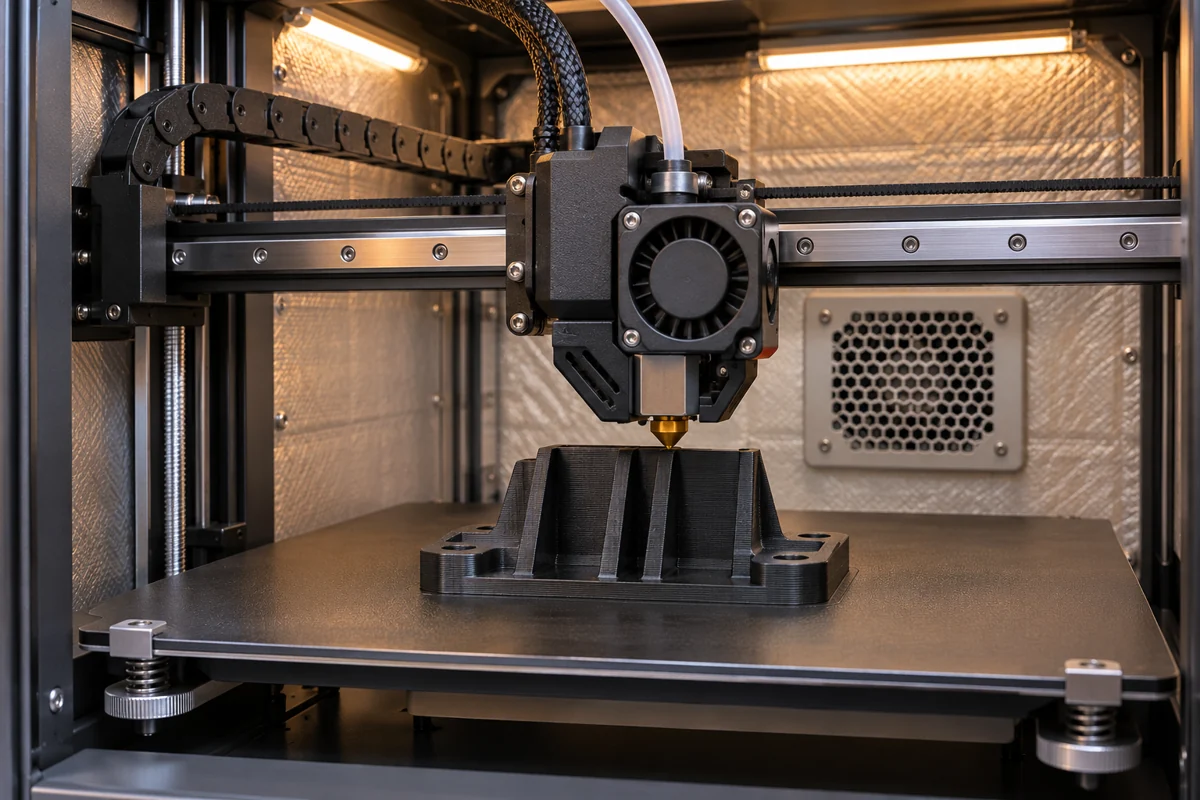
나일론의 열적 특성 이해
나일론(폴리아미드)은 인쇄 시 특정 온도 조절이 필요한 반결정성 열가소성 수지입니다. PLA나 PETG와 달리, 나일론은 최적의 레이어 접착력과 치수 정밀도가 동시에 확보되는 가공 범위가 좁습니다.
Semicrystalline nylon has both a glass transition and a melting range. A resin melting point describes a material property. A printer setpoint also depends on formulation, flow, nozzle hardware and the conditions of the build.

핫엔드 온도 설정
PA6(나일론 6)의 사용 온도 범위
Use the PA6 filament supplier’s window. For example, Fiberon PA6-CF20 calls for 280–300°C at the nozzle and 40–50°C at the bed. These figures apply to that carbon-filled grade.
PA66(나일론 66)의 사용 온도 범위
Confirm whether the spool is PA66, a copolyamide or a filled grade. Polymaker PolyMide CoPA is a PA6/PA66 copolymer with a specified 250–270°C nozzle range and a 25–50°C bed range. For a PA66 spool, use the grade sheet and verify the hotend rating before loading it. See the nylon family comparison for the material decision.

베드 온도 및 접착력
나일론은 베드 접착 문제가 자주 발생하는 것으로 악명이 높습니다. 다음은 검증된 해결책입니다:
권장 침대 온도
| 필라멘트 | Bed range in supplier guide | Build surface |
|---|---|---|
| Fiberon PA6-CF20 | 40–50°C | Check the filament and build plate guidance. |
| PolyMide CoPA | 25–50°C | Supplier lists PC and textured PEI, with adhesive where needed. |
| Other PA6, PA66 or filled grade | Use the exact grade sheet | Follow the printer and plate maker’s adhesion and release instructions. |
접착 솔루션
Start with a clean, compatible surface, then check first-layer height and release instructions. Apply only an adhesive permitted by the plate and filament suppliers. Test on a small part before committing to a large build.
실내 온도 및 밀폐 공간
Check whether the filament calls for an enclosure, a controlled chamber temperature or ambient printing. An enclosure can limit drafts, but it does not deliver a guaranteed chamber temperature. Use the machine’s documented controls.
프린터에 덮개가 없다면 다음을 고려해 보세요. 해당 프로젝트에 생산용 장비가 필요한지 여부.
온도 타워 교정
A temperature tower lets you compare several nozzle settings with the same spool, speed, cooling and orientation. Put each step inside the grade’s published window and the printer’s limit. Inspect bridges, surface and layer bonding, then print a coupon that represents the real part.
Record the setpoint for each segment in your slicer. Check the actual change points in the toolpath preview, and keep the first layer and other controls fixed while comparing the segments.
기억하세요: 온도 테스트를 하기 전에 나일론이 반드시 건조한 상태여야 합니다!
일반적인 문제 해결
온도에 따른 과소 압출
고온에서도 압출량이 부족한 현상이 발생한다면:
- 노즐이 막히지 않았는지 확인하십시오(특히 유리 섬유가 함유된 나일론의 경우).
- Check the hotend rating and the filament’s stated flow conditions
- 연마성 재질의 경우 경화강 노즐을 고려해 보십시오.
적정 온도임에도 불구하고 뒤틀림 현상 발생
워핑 현상은 대개 핫엔드 온도가 아니라 베드 접착력과 관련이 있습니다:
- Adjust bed temperature within the supplier and machine limits
- 접착제를 더 바르세요
- 인클로저 내 온도가 일정하게 유지되도록 하십시오
층간 접착력 저하
층이 쉽게 분리된다면:
- Try a small temperature change within both documented limits
- Use the filament maker’s cooling guidance and compare a small coupon
- 수분 오염 여부를 확인하십시오
특별히 유의해야 할 사항
유리 섬유 강화 나일론
Glass-filled nylon can abrade the nozzle and change flow behavior. Follow the exact filament maker’s nozzle, speed and temperature guidance.
탄소 섬유 나일론
탄소섬유 나일론 also needs grade-specific nozzle and moisture control. Compare stiffness using the same specimen orientation and conditioning.
나일론 혼방사
Copolyamides and blends have their own process windows. Use the current grade sheet and verify the listed settings on a small build.
관련 읽기
자주 묻는 질문
PA6의 경우 처음에 노즐 온도를 얼마로 설정해야 하나요?
Use the range listed on your exact spool’s technical sheet. Calibrate with dry filament and keep every step within the printer’s nozzle rating.
PA66은 PA6보다 더 높은 노즐 온도가 필요한가요?
The PA66 base polymer has a higher melting range, but an actual filament’s grade, fillers and additives determine the print window. Compare the two supplier profiles before selecting settings.
노즐 온도가 적정함에도 불구하고 나일론이 왜 여전히 뒤틀리는 걸까요?
뒤틀림 현상은 베드 접착력, 챔버 조건, 냉각, 형상 및 수분 함량에 따라 달라집니다. 노즐 온도만 높이는 대신 이러한 요소들을 종합적으로 확인해 보십시오.
온도 설정을 테스트하기 전에 나일론을 말려야 할까요?
네. 수분이 있으면 압출이 고르지 않게 되거나 층이 약해지거나 거칠어질 수 있어, 온도 테스트 결과가 정확하지 않을 수 있습니다. 해당 필라멘트의 건조 지침을 따르고, 인쇄 중에는 필라멘트를 건조한 상태로 유지하십시오.
부품 검토를 요청하시려면 도면 또는 CAD 파일, 등급 및 가공 방법(확정된 경우), 수량, 사용 온도, 하중, 중요 결합부 및 납품 승인 요건을 보내주십시오. 해당 부품 및 생산 공정에 대해 논의하십시오..

